

Apple Lightning to 3.5mm Headphone Jack Adapter
₹900.00
This adapter lets you connect devices that use a 3.5mm audio plug to your Lightning devices.
This adapter lets you connect devices that use a 3.5mm audio plug to your Lightning devices.
Related products
-
 Add to cart
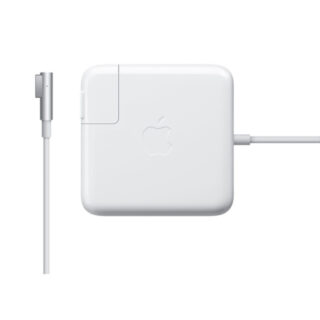
The 45-Watt MagSafe Power Adapter for MacBook Air features a magnetic DC connector that ensures your power cable will disconnect if it experiences undue strain, and helps prevent fraying or weakening of the cables over time. In addition, the magnetic DC helps guide the plug into the system for a quick and secure connection.
When the connection is secure, an LED located at the head of the DC connector will light up; an amber light lets you know that your portable is charging, while a green light tells you that you have a full charge. An AC lead is provided with the adapter for maximum lead length, while the AC wall adapter (also provided) gives users an even easier and more compact way to travel.
Redesigned specifically for MacBook Air, the adapter is the perfect travelling companion. It has a clever design that allows the DC cable to be wound neatly around itself for easy cable storage.
This power adapter recharges the lithium polymer battery while the system is off, on, or in sleep mode. It also powers the system if you choose to operate without a battery.
Compatible only with MacBook Air with MagSafe Power Port.
-
 Add to cart
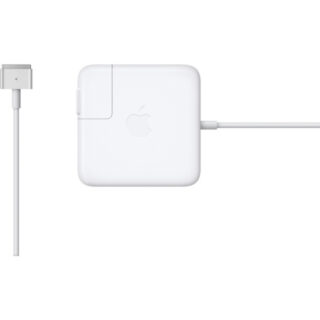
The 45W MagSafe 2 Power Adapter features a magnetic DC connector so if someone should trip over it, the cord disconnects harmlessly and your MacBook Air stays put safely. It also helps prevent fraying or weakening of the cables over time. In addition, the magnetic DC helps guide the plug into the system for a quick and secure connection.
When the connection is secure, an LED located at the head of the DC connector lights up; an amber light lets you know that your notebook is charging, while a green light tells you that you have a full charge. An AC lead is provided with the adapter for maximum lead length, while the AC wall adapter (also provided) gives you an even easier and more compact way to travel.
Designed to be the perfect travelling companion, the adapter has a clever design that allows the DC cable to be wound neatly around itself for easy cable storage.
This power adapter recharges the lithium polymer battery while the system is off, on or in sleep mode. It also powers the system if you choose to operate without a battery.
Compatible only with MacBook Air featuring MagSafe 2 power port.
-
 Add to cart
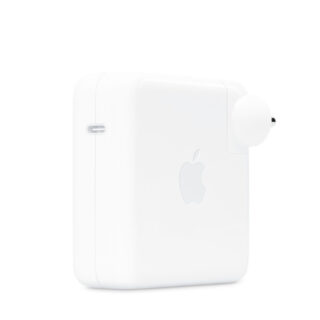
The 96W USB-C Power Adapter offers fast, efficient charging at home, in the office or on the go. While this power adapter is compatible with any USB-C–enabled device, Apple recommends pairing it with your 16-inch MacBook Pro for optimal charging performance.
Charging cable sold separately.
-
 Add to cart
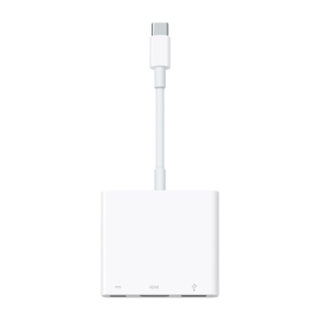
The USB-C Digital AV Multiport Adapter lets you connect your USB-C–enabled Mac or iPad to an HDMI display, while also connecting a standard USB device and a USB-C charging cable.
This adapter allows you to mirror your Mac or iPad display to your HDMI-enabled TV or display.
3840×2160 at 60Hz on:iPad Pro 11-inch, iPad Pro 12.9-inch (3rd generation and later), MacBook Pro (16-inch, 2019), MacBook Pro (15-inch, 2017 and later), MacBook Pro (13-inch, four Thunderbolt 3 ports, 2020), MacBook Air (2020), iMac (Retina 5K, 27-inch, 2017 and later), iMac (Retina 4K, 21.5-inch, 2017 and later), and iMacPro (2018)
1080p at 60Hz or UHD (3840×2160) at 30Hz on:MacBook Air (2018 and later), MacBook Pro (13-inch, 2016 and later), MacBook Pro (15-inch, 2016), iMac (non-Retina, 21.5‑inch, 2017) and Mac mini (2018)
Simply connect the adapter to a USB-C or Thunderbolt 3 (USB-C) port on your Mac or iPad and then to your TV or projector via an HDMI cable (sold separately).
Use the standard USB port to connect devices such as your flash drive or camera or a USB cable for syncing and charging your iOS devices. You can also connect a charging cable to the USB-C port to charge your Mac or iPad.
-
 Add to cart
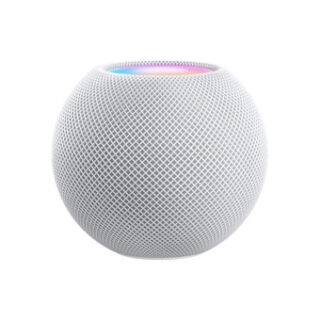
Room-filling, 360-degree sound. Place HomePod mini speakers around the house for rich multi-room audio1 and features like Intercom.2
Siri is an intelligent assistant for your HomePod mini. Just use your voice to check your calendar or the weather, set alarms and complete everyday tasks.
Control your smart home accessories with just your voice using HomePod mini.3
Privacy at home is essential. HomePod mini helps you keep your data private and secure.
Reviews
There are no reviews yet.